
KazaPon
No typing: Wi-Fi, calls & more
Hold your iPhone up to a Wi-Fi sign and you are connected — no more typing long passwords. Phone numbers, addresses and dates are just one tap away, too. Large text and simple words make it easy for everyone.
- No shutter button — just point the camera
- Reads printed Wi-Fi passwords, not only QR codes
- Large text and spoken guidance
- No account, no ads
Screenshots
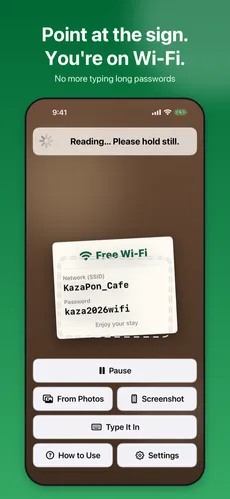
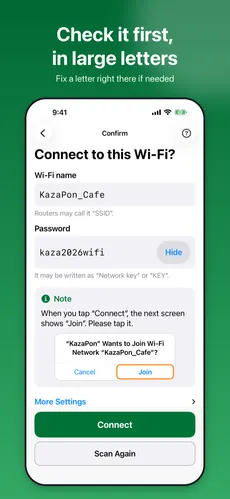
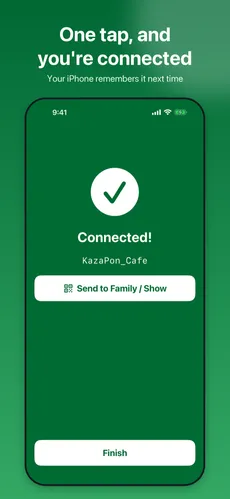
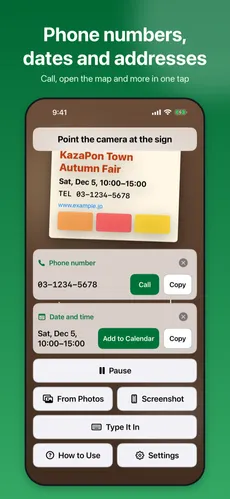
Just hold up the camera
KazaPon reads text and QR codes as you point the camera — including Wi-Fi names and passwords printed on router labels and signs. It shows what it read in large letters before connecting, so you can check or fix it. “Try Another Reading” fixes common mix-ups like 0 and O, or 1 and l.
Call, map, email and links in one tap
Phone numbers, addresses, email addresses and web links appear as cards at the bottom of the screen. Nothing happens until you tap, and links that need care, such as shortened links, come with a warning.
Photos and screenshots
Got a Wi-Fi QR code in a message? Take a screenshot and read it. Hotel login IDs and passwords can be copied in one tap.
Easy to see and hear
Choose Standard, Large or Extra Large text. Vibration, sound effects, spoken guidance and VoiceOver are supported.
KazaPon Pro (one-time purchase)
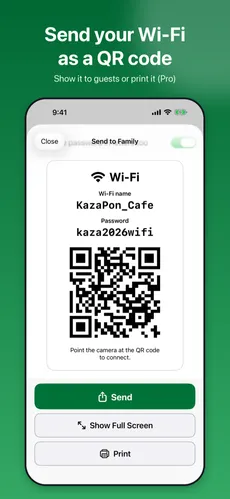
Share your Wi-Fi as a QR code, keep a connection history and favorites protected with Face ID, add dates from flyers to your calendar, check delivery status and more. Family Sharing is supported.